

PathScope
A privilege-escalation path analysis tool
Finds the "paths" on this device by which an ordinary user can reach root (administrator privileges) or confidential data, and shows with priorities where fixing would be most effective. The analysis is read-only and never changes settings or applies fixes automatically.
Path analysis
Shows the paths to root or confidential data, from privileged groups, SUID, passwordless sudo, cron, macOS TCC, and so on, in a diagram and a list (including multi-step paths via other users). It also adds unpatched vulnerabilities that let an ordinary user become root (listed in KEV, high EPSS, or with a public exploit module). Being public is not confirmation of exploitation. The Linux edition, which bundles no data, shows "unconfirmed".
Fix points and suggested fixes
Shows with priorities the places where fixing first has the most effect (countermeasure points), with example fix commands and the corresponding MITRE ATT&CK mapping. Commands are not run automatically. With "What if I fix this?", you can tentatively analyze the paths that would remain after fixing (this device is not changed).
History and comparison
Analysis results are kept on this device as a history and can be compared with the previous run. You can also export a scheduled-run configuration and aggregate results from multiple machines. It can also export auditd rules that watch files along the paths and Falco rules for RoamSwitch Server (it does not apply them).
LLM explanations and config reading (optional, off by default)
When enabled, you can have an LLM explain the analysis results, or read configuration files written in varied styles such as sudoers, cron, and scripts to look for entries related to root privileges. Findings are used only after confirming that the line exists in the original file. Private keys and the values of API keys and passwords are never sent, regardless of settings. IPs, domains, CVE numbers, and hashes that are not in the summary provided are shown below the explanation as possibly fabricated.
10 languages
Both the screen and the command line support 10 languages: Japanese, English, 한국어, 简体中文, 繁體中文, Deutsch, Français, Español, Italiano, and Português, and automatically follow the OS language. You can change it in the settings for the screen, and with --lang= or the environment variable PATHSCOPE_LANG for the command line.
Command line
The same analysis as the screen can also be run with the pathscope command. For example, it returns exit code 1 if there are more paths than last time, so it can be used for scheduled runs and automation. Results can be output as a Markdown table, JSON, or SARIF.
Screenshots
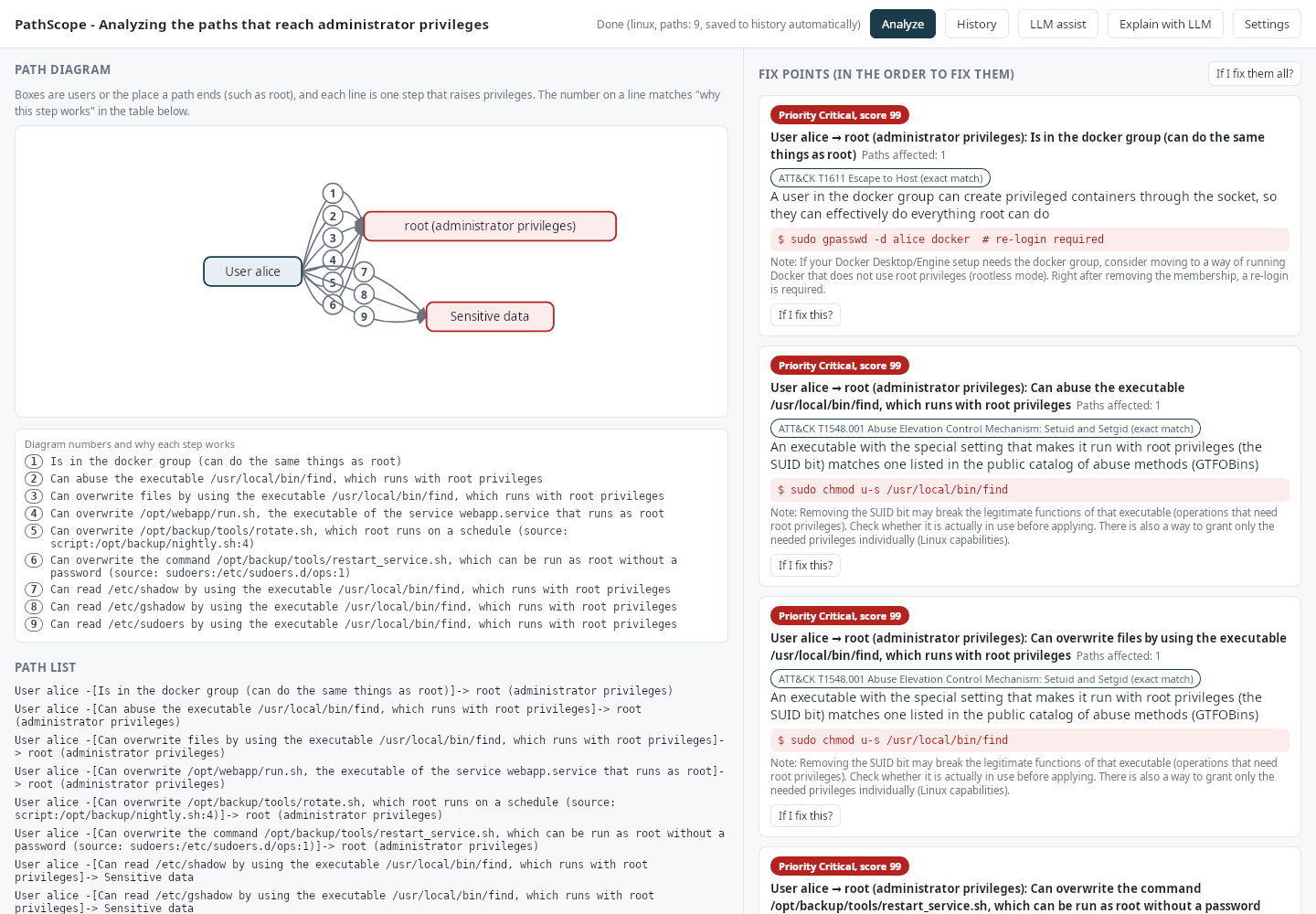
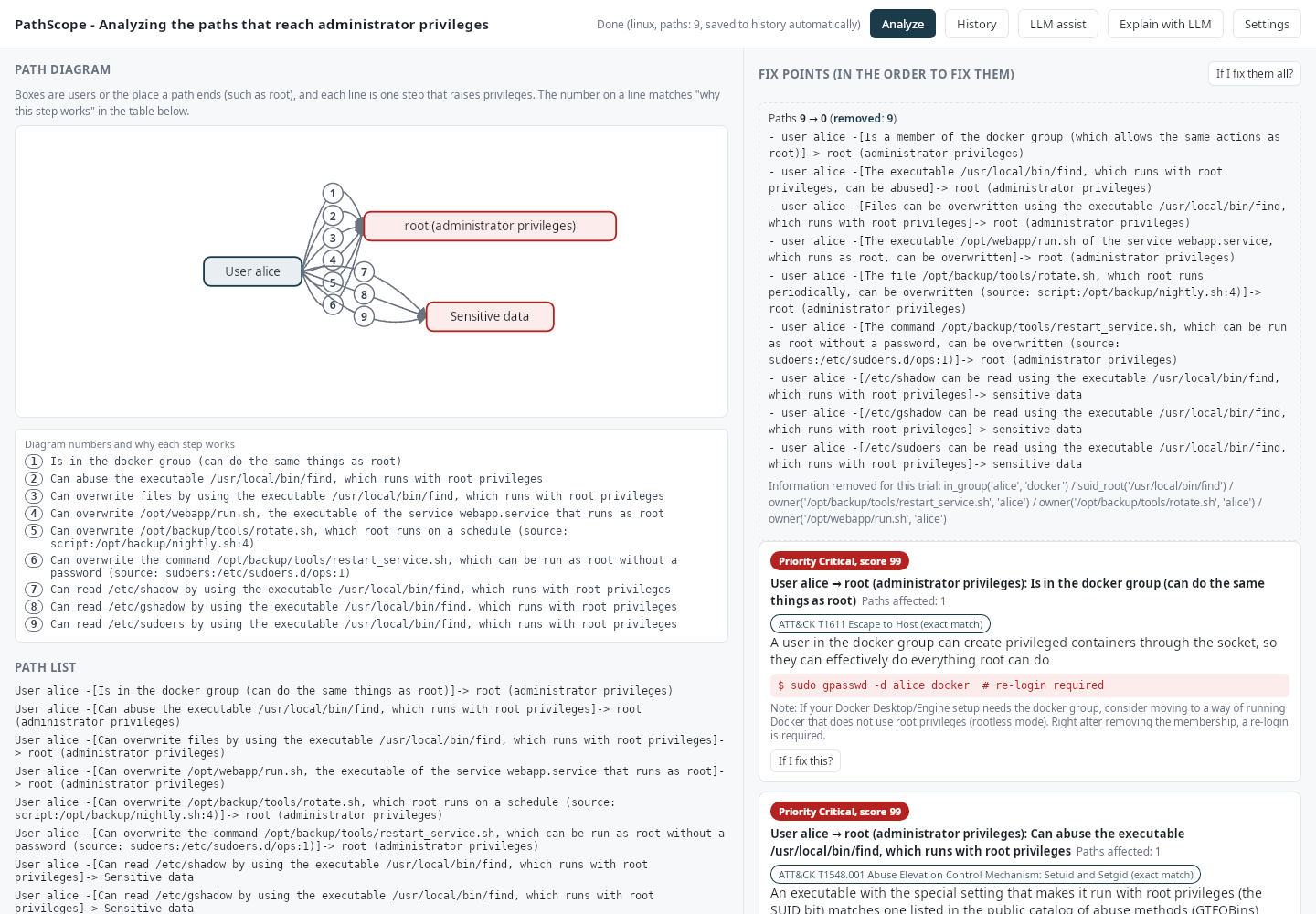
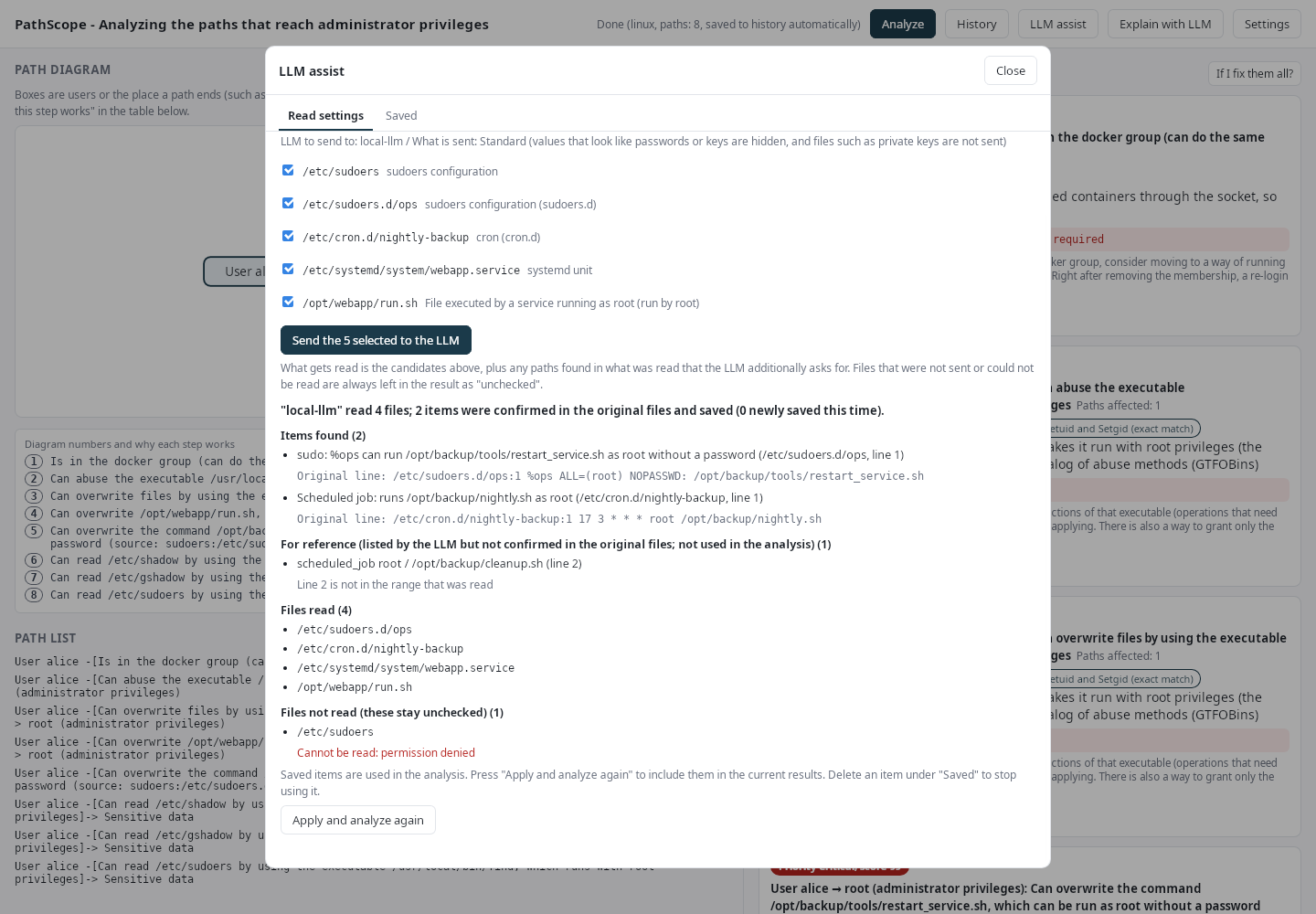
All data shown in the screenshots (user names, file paths, and so on) is fictitious. The LLM replies were produced with a stand-in command that returns fixed replies.
How to launch it
Mac: open PathScope in the Applications folder (it has its own icon, separate from RoamSwitch) and press "Analyze".
Linux: open PathScope from your application menu (it has its own icon) and press "Analyze". From a terminal, run pathscope-gui.
Command line: PathScope.app/Contents/MacOS/pathscope (pathscope on Linux) runs the same analysis. You can add options such as --what-if-fix=all (if everything is fixed) and --baseline=previous.json --fail-on=new (exit code 1 if there are more paths than last time).
Privacy and scope
PathScope does all analysis inside this device. It is read-only and does not change settings or files. It opens no listening ports, and its screen loads no external sites. The history of analysis results and the settings are stored only on this device. Results contain sensitive information about this device (user names, file paths, permissions), so limit where they are stored and shared.
RoamSwitch's "Zero Telemetry" (communication contents and logs are not sent outside) describes RoamSwitch itself and does not cover communication when PathScope's LLM integration is enabled. With the LLM integration off, PathScope never sends analysis contents outside the device.
License
PathScope is licensed under the Apache License 2.0 and is not covered by RoamSwitch's End User License Agreement (EULA). The license text, NOTICE and the list of bundled third-party software are inside the app (PathScope.app/Contents/Resources).
Requirements and updates
macOS 12 or later. Only when you press "Check for updates" under the app's "Update" does it connect to lafine.net to fetch the latest version information (no information about this device or the analysis results is sent). Downloaded updates replace the installed version only if they pass signature verification. Linux requires WebKitGTK 4.1 (libwebkit2gtk-4.1), which deb / rpm installs automatically. On Arch, install webkit2gtk-4.1 as an optional dependency. On Linux, updates are included in RoamSwitch package updates.