

AccessScope
An access-log diagnosis tool
A diagnosis tool that finds attack attempts in server logs, with the evidence. A separate tool bundled with RoamSwitch (Mac / Linux).
What it does
- Finds attack attempts in logs and shows the evidence lines
- Finds the logs on this machine automatically
- Sums up the overall risk and the findings in a report
- Exclusion rules and comparison with the last run cut down what you review
Logs it reads
It can also check Docker container logs, read-only (you see a confirmation screen first)
Using the results
- Reports can be saved as Markdown, JSON, SARIF or CSV
- You can export a block list of the IPs involved (it only writes the list and blocks nothing)
- Your own IPs and the like can be excluded, with a reason
- Compared with the last run, it reports only new findings
Safe by design
- It opens no listening port. It only reads logs and never changes them
- It never raises privileges and reads only what is readable now
- Strings from logs are shown on screen as plain text only
- It connects only to the LLM you chose and, when you press the button, to check for Mac updates
Limits
- Only facts recorded in the logs count as evidence. No findings is not proof of safety
- A finding means an attempt was made, not that the attack succeeded. A User-Agent can be forged
- Chains across logs and changes from the usual are rules of thumb, and can miss things or raise false alarms
Using the command
accessscope scan --auto --since 7d --report report.md
What it finds
- Web attacks
- SQL injectionpath traversalXSScommand injectionknown vulnerabilities (CVE)SSRF
- Login brute force
- Web loginsSSHmaildatabasesattempts from many IPs
- Probing and scanning
- probing for .env and similarattack toolsruns of nonexistent paths
- Web shells and suspected success
- web-shell-like requestssuccess after repeated failures
- Chains across several logs
- same address in Web and SSH logsrecon turning into attack
- Changes from the usual
- login from an unfamiliar sourcenew User-Agentnew path
- Other
- floods of requests or transferscrawler impersonationAI instructions planted in logs
Measured on our own test data: about 99% of attacks detected, and about 2% of normal traffic raised a medium-or-higher finding. This is not a guarantee for real servers.
Screenshots
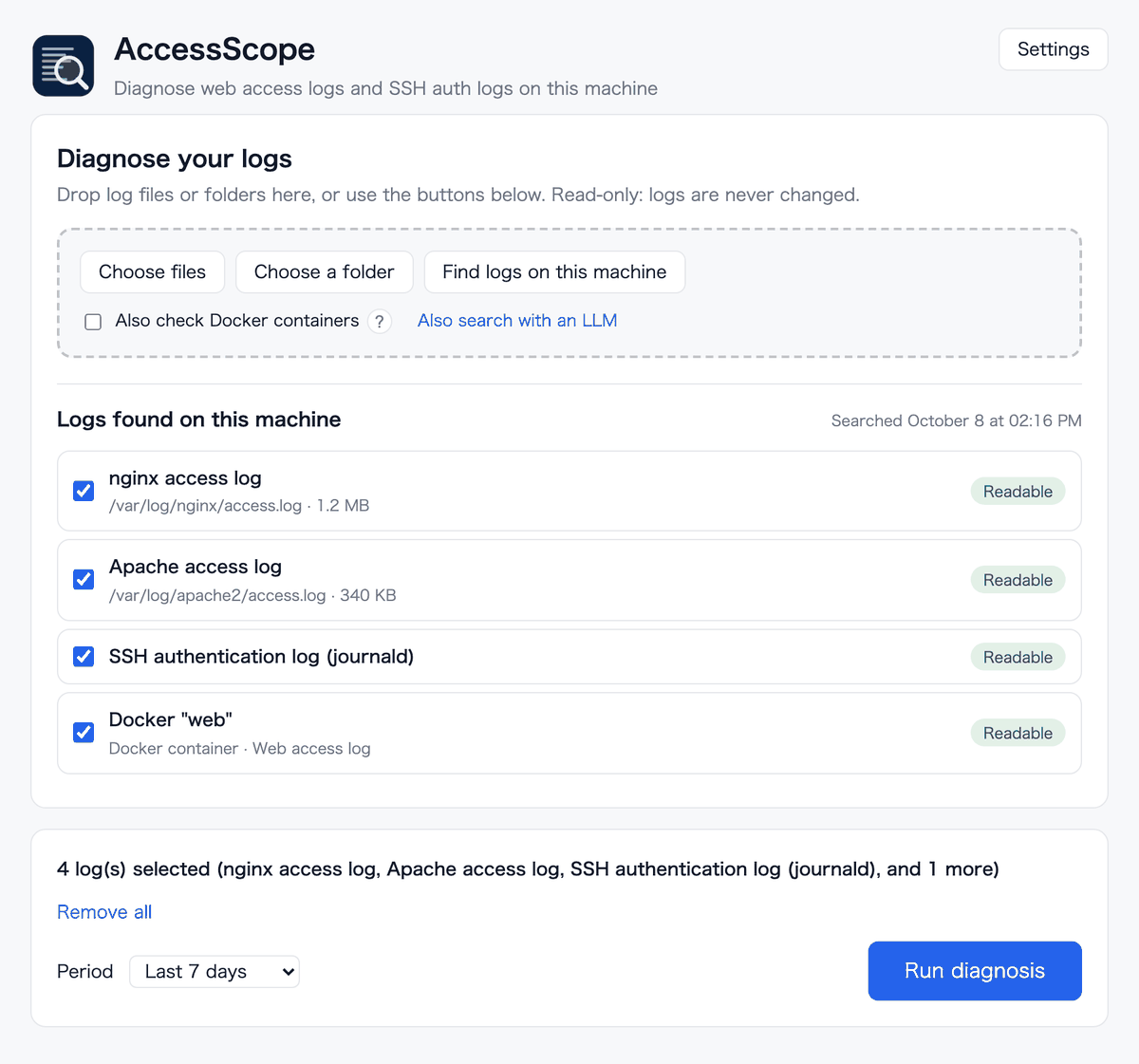
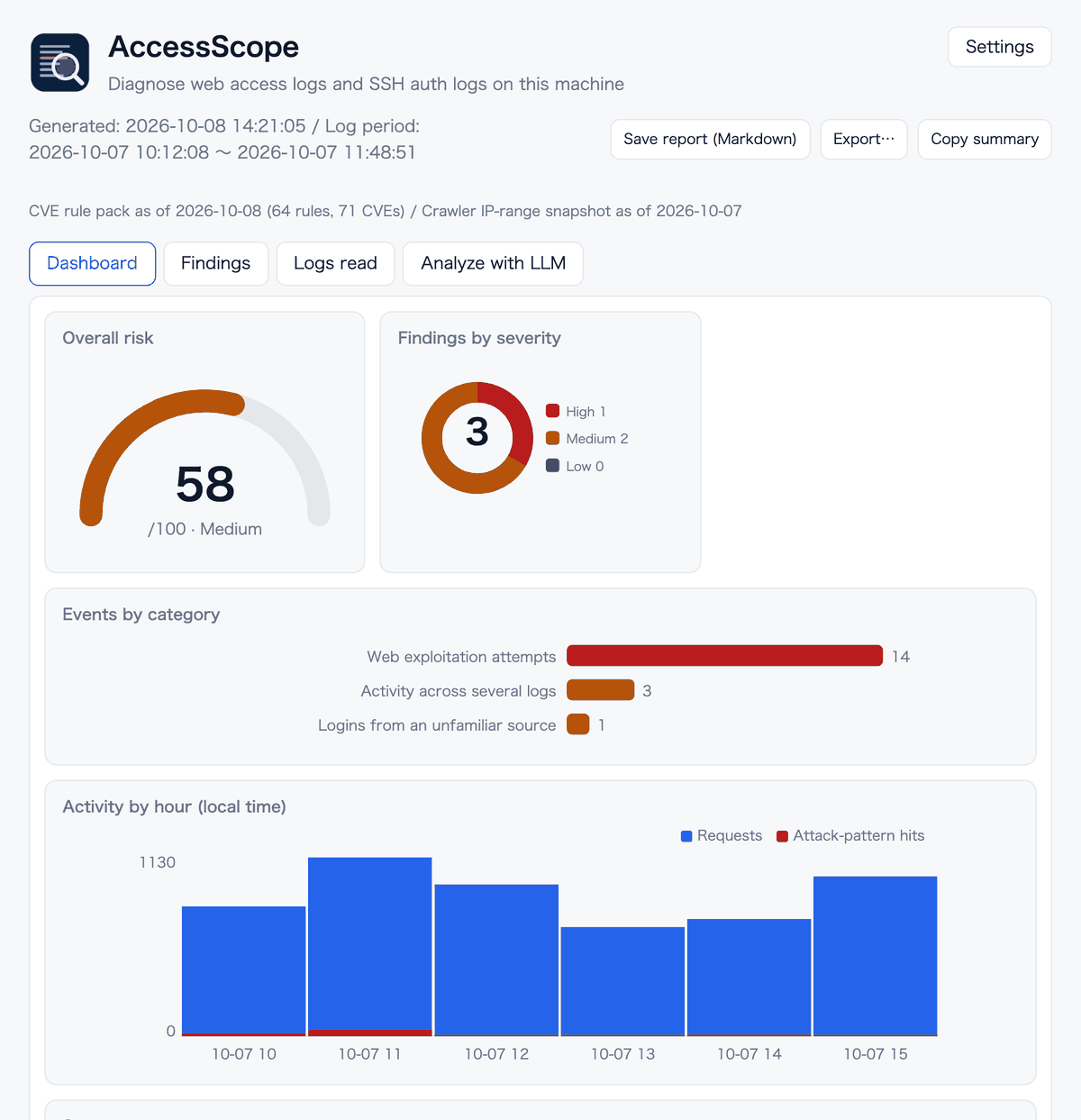
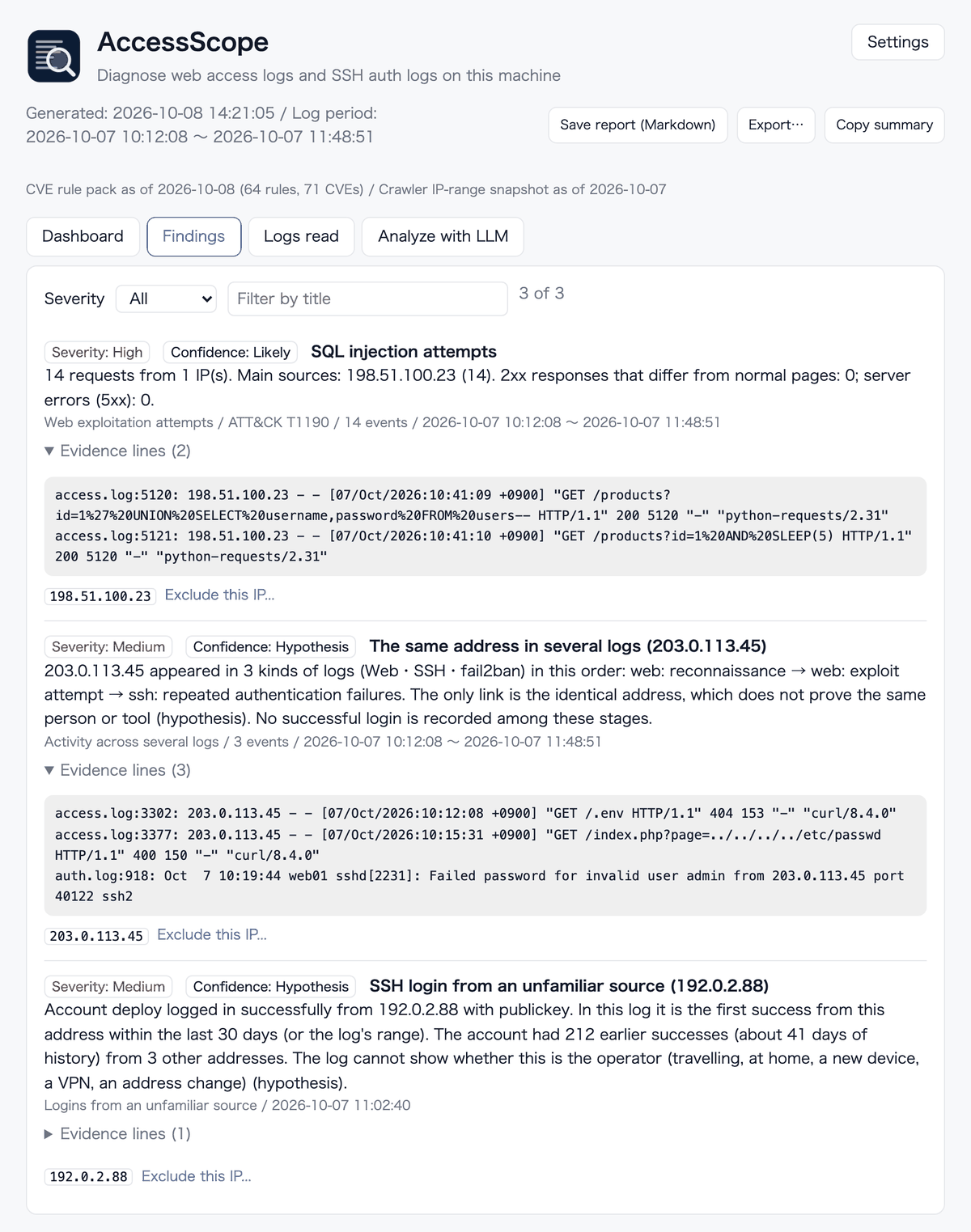
These are the real screens filled with sample data. All IP addresses and names are fictional.
Analysis by an LLM (optional, off by default)
- Only the summary and a few evidence log lines per finding are passed on. Raw logs are not
- Secrets (keys, tokens, passwords and so on) are masked. You can read the full content before it is sent
- "Find logs with an LLM" passes only file names and locations, never file contents
- When enabled, the content goes to the service of the LLM you chose. RoamSwitch's "Zero Telemetry" statement does not cover this feature
- If you leave it off, the content of a diagnosis never leaves your machine. An LLM can be run as root too, but it then runs with root's rights, so an unprivileged user is recommended (the window app shows a note in its settings while it runs as root)
Get it
- On Mac it is inside the RoamSwitch DMG (app and command; macOS 12 or later)
- On Linux it is inside the RoamSwitch deb / rpm / tarball (the Server Edition has the command only)
- The Mac in-app update connects to lafine.net only when you press the button, and checks the signature before installing
- It is a separate tool from RoamSwitch, under the Apache License 2.0 (not covered by the RoamSwitch EULA)
On the device it stores the list of logs found (discovered.json), a state file for comparing with the last run, and your exclusion rules (suppress.toml). None of it is sent out. See the Privacy Policy for details.